5 (650+)
Figma UI Button Toolkit
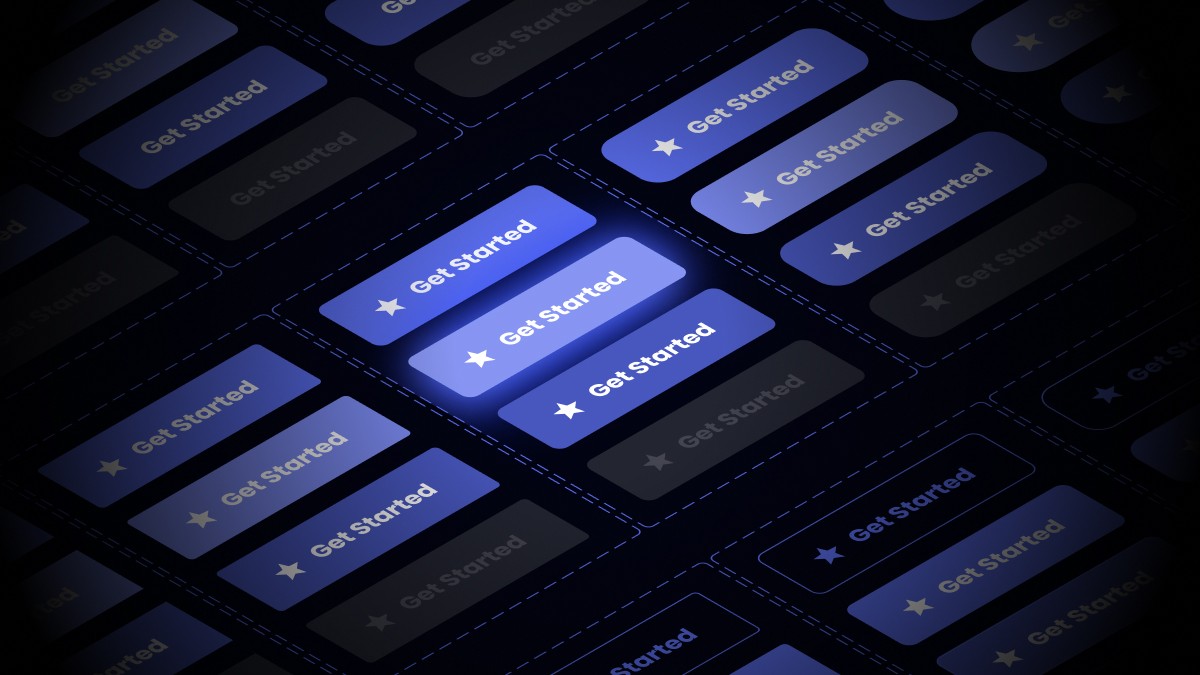
Get a head-start on user interface designs with this customisable button kit designed to make your life a tonne easier in Figma.
£8
£25
Limited time offer
Copy and paste these beautiful, clean, modern and fully customisable buttons into your project and streamline your design projects with ease.
Built with auto-layout, ready for your responsive website designs in Figma.
All of these responsive UI buttons, in their various styles, are ready to go into your Figma project with hover and pressed animations handled right out of the box. In addition, there's a disabled state and support for Material Icons from Google, allowing for easy customisation.
All you need to do is match your branding in the styles and variables manager and from that moment every single button variant can be dropped straight into your projects, automatically set up to work as you'd expect.
You'll get the Figma (.fig) file to download and import into your Figma workspace to use any time you need and speed up your website design workflow.
✌️ Clean, spacious, modern design
Built out with modern design principles in mind, these UI buttons are correctly spaced and will fit into modern responsive website designs in Figma.
🚀 Supercharge your workflow
You can drag and drop your buttons into your new and existing projects in Figma once you have made the changes you need to match your branding.
🎨 Customisable, through and through
From colours, to border radius, these buttons can be made to match your branding style with ease using Figma variables and simple component tweaks.